

Tenaga Nasional Berhad (TNB) has announced that customers can now switch to its Time-of-Use (ToU) billing scheme directly through the myTNB mobile app. This adds to existing application options, which include TNB’s official online portal and in-person signups at nearby Kedai Tenaga outlets.
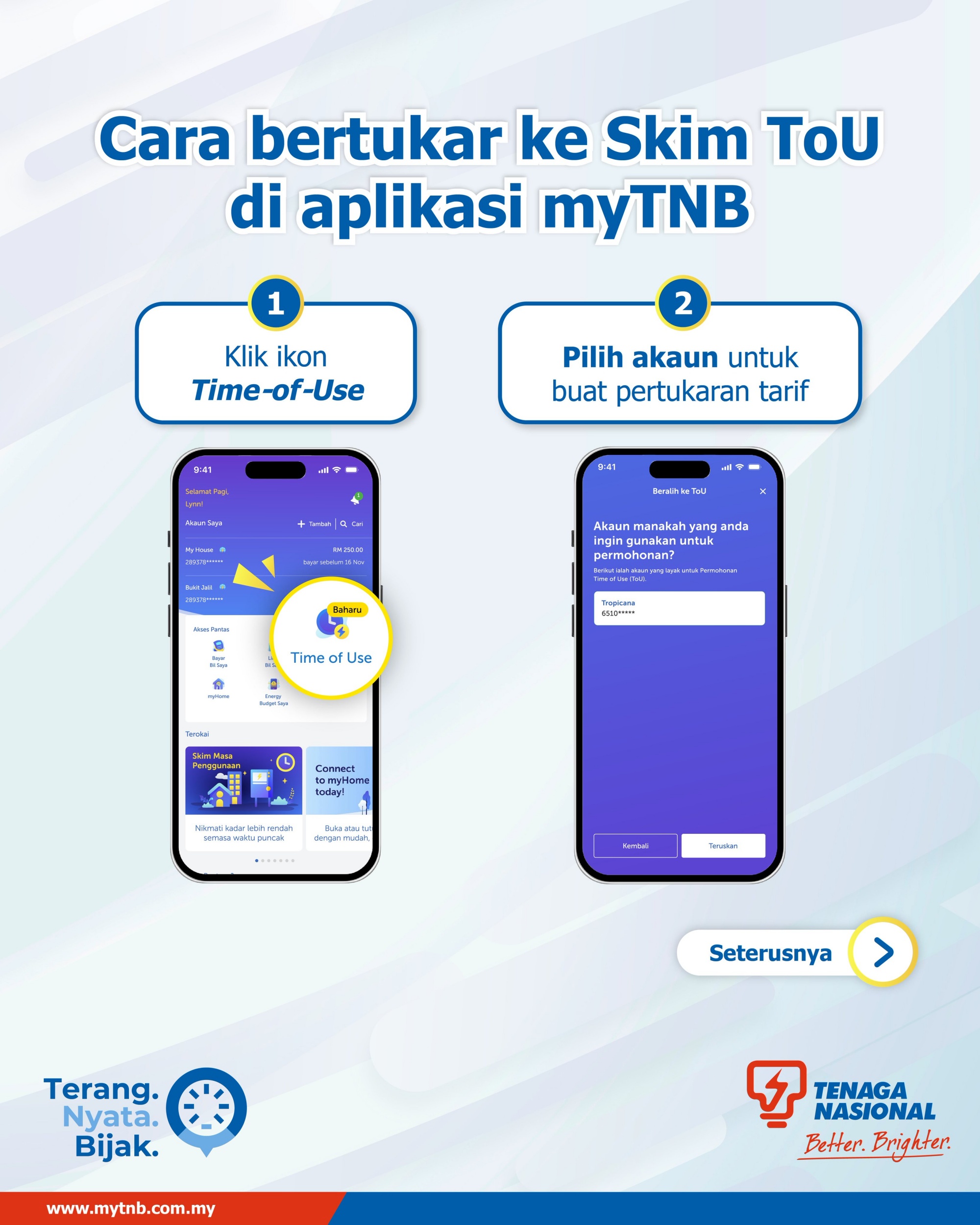
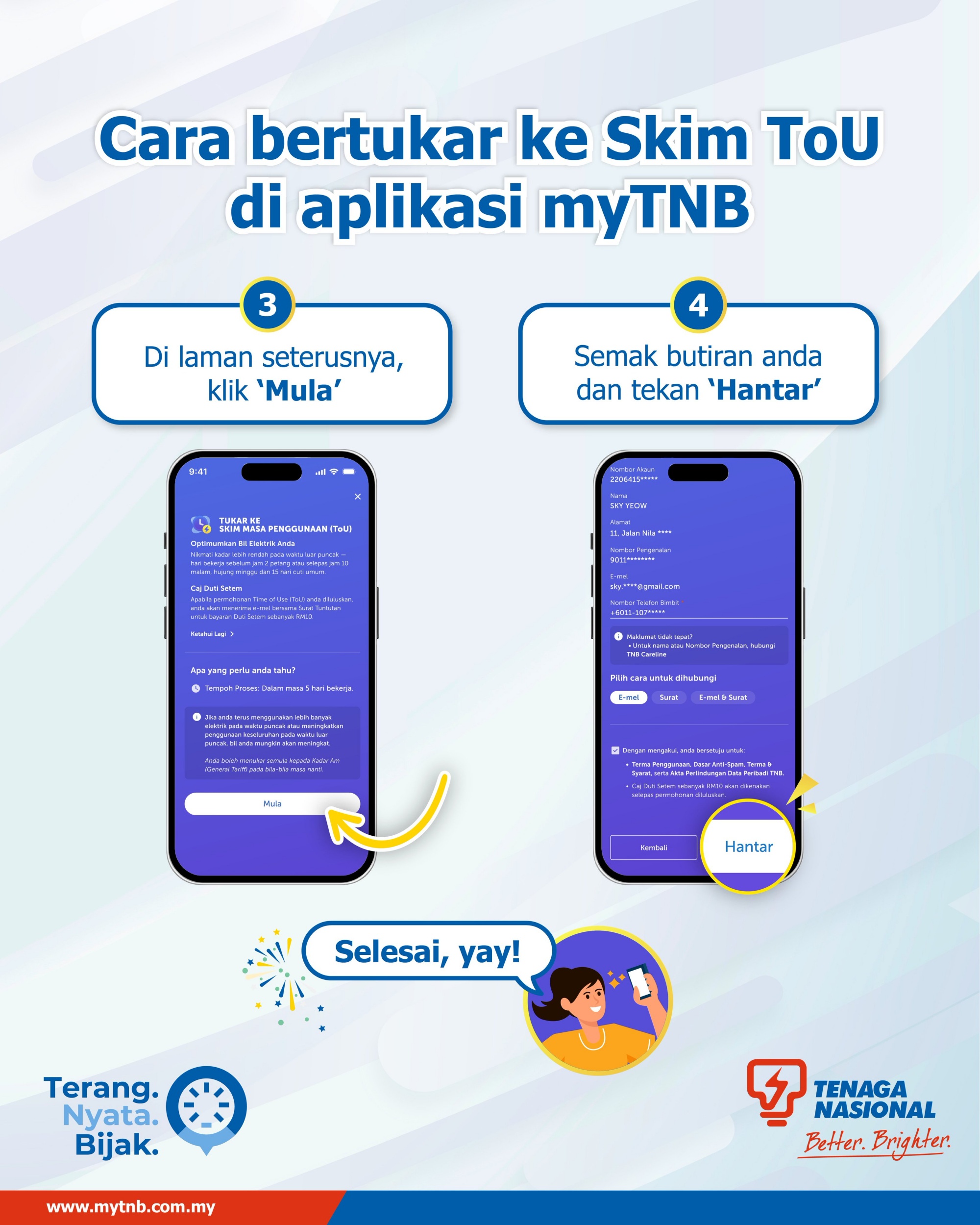
According to TNB, the entire process involves four steps within the myTNB app. However, do note this feature is only available to registered account holders.
After launching and logging into the app, users can tap the ToU icon and select the account they wish to apply the tariff change to. They will then be directed to a page explaining the scheme, where tapping “Start” allows them to proceed. After verifying the account details on the next page, users can tap “Send” to complete the application.
As previously stated, TNB says customers with an activated smart meter can expect the switch to the ToU billing scheme to take up to five working days. For those without a smart meter, the process may take up to two months due to installation requirements.
A Quick Refresher On The ToU Scheme
To recap, TNB introduced its opt-in ToU pricing scheme for all domestic and non-domestic low-voltage users with smart meter installations in July this year. The scheme offers lower electricity rates during off-peak hours, with slightly higher rates applied during peak periods.
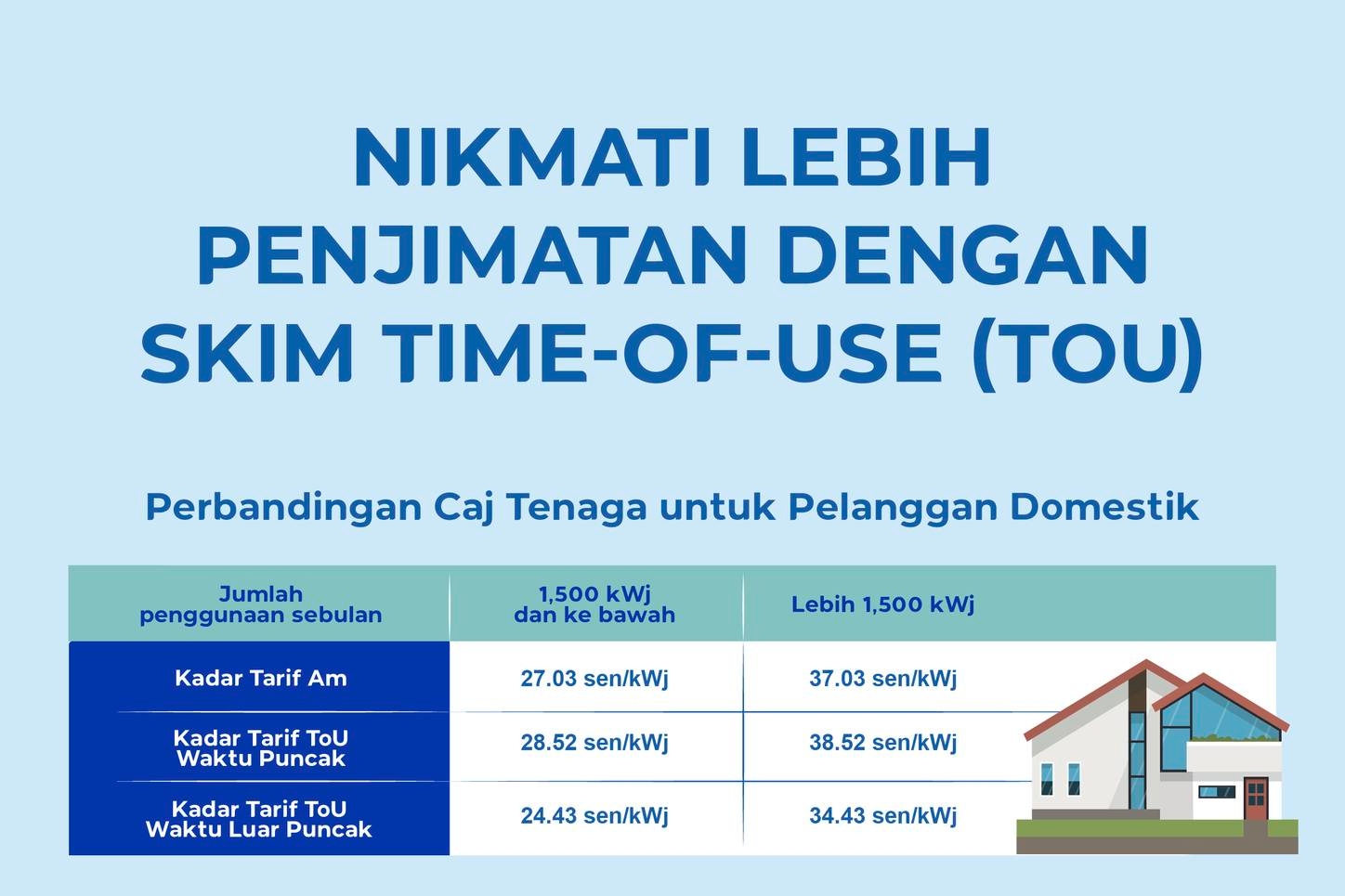
Under TNB’s guidelines, peak hours run from 2pm to 10pm on weekdays (Monday to Friday), while off-peak hours are from 10pm to 2pm. For households consuming up to 1,500kWh per month, the peak rate is 28.52 sen/kWh, while the off-peak rate is 24.43 sen/kWh. For higher-usage households exceeding 1,500kWh per month, peak and off-peak rates are set at 38.52 sen/kWh and 34.43 sen/kWh respectively.
